
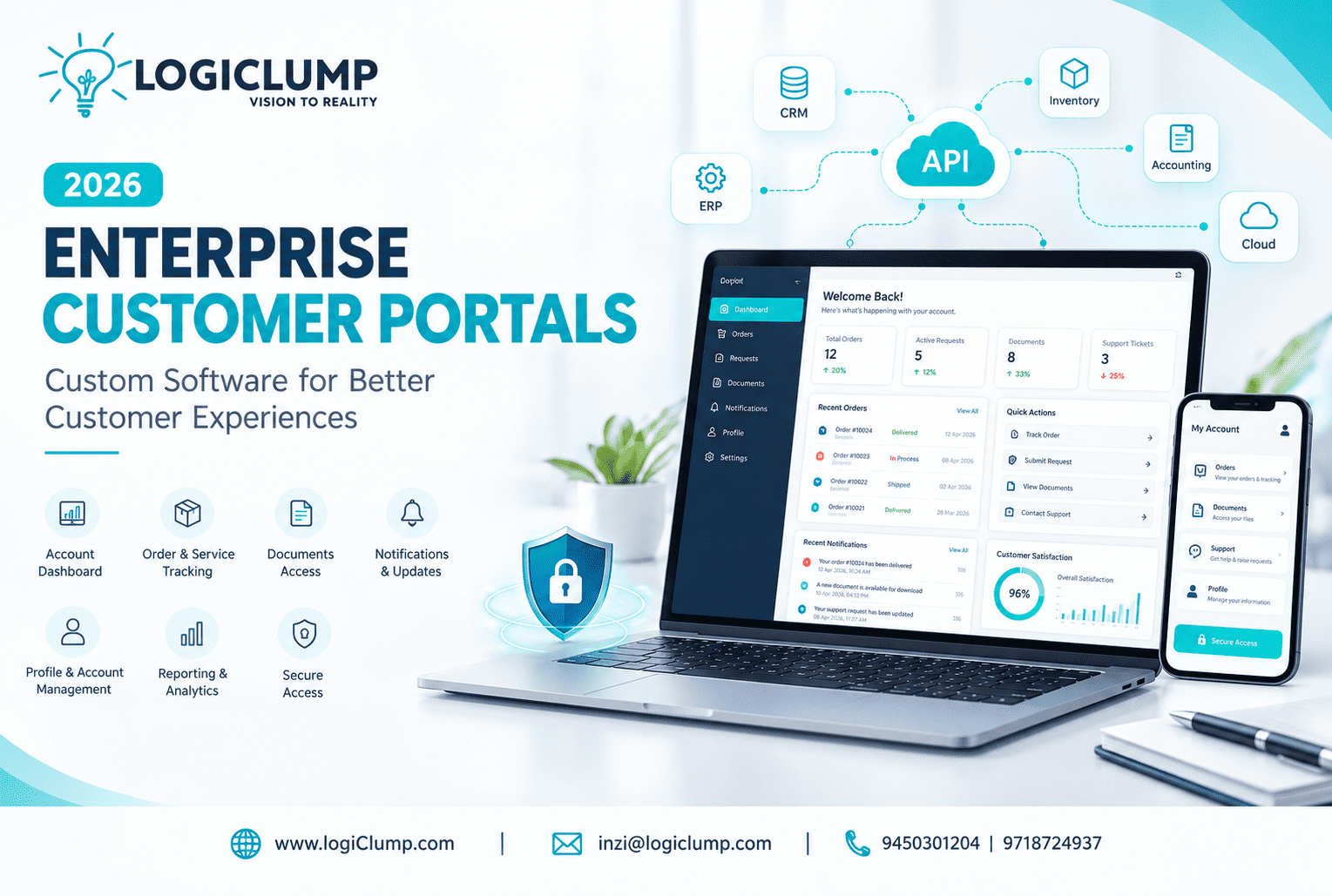
Enterprise Customer Portals in 2026
A strong business relationship depends on more than delivering a good product or service. Customers also expect convenient access to information, quick responses, and simple ways to manage their accounts.
For many businesses, meeting these expectations can become difficult as the customer base grows. Employees may spend hours answering routine questions, sharing documents, checking order details, and following up on requests that customers could potentially manage themselves.
These challenges can affect both customer satisfaction and internal productivity.
An enterprise customer portal offers a way to improve this experience by giving authorized users a dedicated digital space to interact with a business, access relevant information, and complete common tasks independently.
For organizations with specialized requirements, custom portal development can provide functionality that matches their business model, customer journey, and existing software environment.
At LogiClump Technologies, we develop custom enterprise applications designed to help businesses deliver better digital experiences and support their operational goals.
Understanding the Role of an Enterprise Customer Portal
A customer portal is more than a login page added to a company website. It is an interactive application that provides users with access to selected services and account-specific information.
Depending on the business, customers might use a portal to review purchases, download invoices, submit requests, manage subscriptions, or communicate with support teams.
For example, a business selling equipment to other companies could provide a portal where customers review product information, check order progress, and access service documents without contacting a representative for every update.
A professional services company might instead use a portal to share project documents, collect client information, and provide progress updates.
The most effective portal is one that makes the user's regular interactions easier and more predictable.
Why Traditional Customer Communication Can Become a Bottleneck
Email and telephone support remain important, but they are not always the most efficient way to manage every customer interaction.
As businesses grow, several problems can emerge.
Repeated Questions Consume Employee Time
Customers may frequently ask about delivery dates, invoices, account details, or the progress of existing requests.
When employees must answer each question individually, support resources can become occupied with routine work.
Important Information Gets Scattered
Customer details may be distributed across email conversations, spreadsheets, document folders, and internal applications.
Finding the correct information can become difficult, particularly when several employees handle the same account.
Customers Have Limited Visibility
Without a dedicated digital interface, customers may need to contact the business to discover whether a request has been received, approved, or completed.
This creates unnecessary waiting and additional communication.
Business Processes Become Harder to Manage
As more customers interact with a company, maintaining consistent service procedures becomes increasingly important.
A structured portal can help standardize selected interactions and provide clearer records of customer activity.
What Features Should an Enterprise Customer Portal Include?
Portal requirements vary by industry, so businesses should select functionality based on their users' actual needs.
Common capabilities include the following.
Personalized Account Dashboard
A dashboard can bring important account information into one place, helping users find relevant details without navigating multiple systems.
Request and Case Management
Customers can submit enquiries, provide supporting information, and review the progress of their requests.
Order and Service Tracking
Businesses that manage orders, deliveries, or ongoing services can provide status updates through the portal.
Document Access
Authorized users can retrieve invoices, agreements, reports, product documents, and other relevant files.
Notifications and Updates
The system can notify users about important events, such as a changed order status or a response to a support request.
Account and Profile Management
Customers may be able to maintain contact details, manage selected preferences, or review their account information.
Reporting and Activity History
Where appropriate, users can review previous transactions, service activities, or account-related records.
These features should be introduced according to the portal's purpose rather than added simply to make the application appear more comprehensive.
Different Industries Need Different Portal Experiences
A single portal design does not suit every enterprise. Different business relationships require different information, permissions, and workflows.
<underline>B2B and Wholesale Businesses</underline>
A business-to-business portal may support customer accounts, product catalogs, order placement, pricing information, invoices, and purchase history.
This can help wholesale businesses provide a more organized buying experience for their commercial customers.
<underline>Manufacturing and Distribution</underline>
Manufacturers and distributors may need portals for dealers, suppliers, or business customers. Depending on their requirements, these platforms can provide order visibility, product documentation, delivery updates, and service information.
<underline>Professional Services</underline>
Consulting firms, agencies, and service providers can use client portals to organize project information, share documents, collect feedback, and communicate important updates.
<underline>Financial and FinTech Businesses</underline>
Financial service providers may need secure interfaces for account information, documents, support requests, or selected reporting functions. These systems require careful attention to privacy, authorization, and applicable regulatory obligations.
<underline>Subscription-Based Businesses</underline>
Software providers and other subscription businesses can use portals to help customers review plans, access services, manage account details, and obtain support.
The business objective should determine the features, not the other way around.
Custom Portal Development: When Is It Worth Considering?
Off-the-shelf software can be a practical choice when its standard features already meet a company's needs.
However, some organizations operate with processes that do not fit neatly into a standard product. They may have specialized approval requirements, unique customer journeys, existing applications, or particular access rules.
In these situations, custom enterprise portal development can provide greater flexibility.
A tailored solution can be designed around:
-
The company's specific services and business rules
-
Different categories of customers or partners
-
Existing databases and applications
-
Required integrations
-
Organization-specific permissions
-
Reporting and document requirements
-
Future business expansion
Custom development also introduces responsibilities, including ongoing maintenance, testing, security updates, and infrastructure management.
Businesses should compare the long-term costs and benefits before choosing between a standard product and a tailored application.
How a Customer Portal Can Work With Existing Business Software
A portal becomes more useful when it can display accurate information from the systems a business already relies on.
Consider a company that manages orders, billing, and customer support through separate applications.
A customer may need to check an order, download an invoice, and raise a support request during the same visit.
With suitable integrations, the portal can provide access to these functions through a consistent interface while the connected systems continue managing their respective responsibilities.
This requires careful planning around data ownership, synchronization, error handling, and access permissions.
Not every system needs to be connected. Integrations should focus on the information and functions necessary to deliver the intended customer experience.
Security Is Essential for Enterprise Portals
A customer portal may expose personal information, commercial documents, transaction details, or confidential business records. Poorly designed access controls can put this information at risk.
Security should therefore be included from the earliest stages of development.
Important safeguards include:
-
Secure authentication: Verify user identities before granting access.
-
Role-based authorization: Restrict information and actions according to assigned permissions.
-
Data protection: Protect sensitive information during storage and transmission.
-
Session management: Reduce the risk of unauthorized access to active accounts.
-
Audit records: Track important changes and security-relevant activities.
-
Secure integrations: Protect communication between the portal and connected systems.
-
Ongoing updates: Maintain the application and address discovered vulnerabilities.
Security requirements should reflect the sensitivity of the information, the nature of the business, and the risks associated with each function.
Making Portals Easier to Use
A portal can have extensive functionality and still fail if users find it confusing.
Good user experience begins with understanding what customers visit the portal to accomplish.
Businesses should prioritize clear navigation, readable information, straightforward forms, helpful error messages, and accessible layouts.
Mobile responsiveness is also important because customers may access the service from different devices.
The portal should guide users toward common tasks instead of forcing them to learn a complicated interface.
Usability testing with representative users can help identify obstacles before the application is launched.
Measuring the Value of a Customer Portal
Portal development should be connected to measurable business objectives.
Depending on the application, companies can evaluate:
-
The number of active portal users
-
The percentage of requests submitted through self-service
-
Changes in routine support enquiries
-
Average time required to complete common tasks
-
Customer satisfaction
-
Frequency of failed submissions
-
Employee time spent handling repetitive requests
-
Portal availability and reliability
For example, if a company introduces a portal to reduce routine order-status enquiries, it can compare support volumes before and after launch.
Measurement helps determine which features are working and where further improvements may be needed. Results will depend on customer adoption, the quality of the implementation, and the underlying business process.
A Practical Roadmap for Developing an Enterprise Portal
A successful project begins with the problem the portal is expected to solve.
Step 1: Identify the users. Determine whether the application is intended for customers, suppliers, dealers, clients, or multiple groups.
Step 2: Map common interactions. Identify the information users need and the tasks they perform most frequently.
Step 3: Define the initial scope. Prioritize the essential features and avoid unnecessary complexity in the first release.
Step 4: Review existing systems. Establish which applications and data sources the portal must connect with.
Step 5: Plan security and permissions. Determine who can access each category of information and which actions require additional authorization.
Step 6: Design and develop the application. Build the interface and functionality around the defined user journeys.
Step 7: Test the complete experience. Validate functionality, integrations, security, performance, and usability.
Step 8: Launch and evaluate. Monitor usage, collect feedback, and improve the portal according to real business needs.
This staged approach helps organizations prioritize essential requirements while leaving room for future development.
Common Mistakes to Avoid
Businesses can reduce the risk of an unsuccessful portal project by avoiding several common mistakes.
Building too many features at once: An extensive feature list does not guarantee a better customer experience.
Ignoring existing software: Failing to assess current systems can lead to unnecessary duplication or difficult integrations.
Treating security as a later task: Access permissions and data protection should influence the architecture from the beginning.
Overlooking customer feedback: Assumptions about user needs should be tested rather than treated as facts.
Failing to plan maintenance: A portal requires ongoing monitoring, updates, and support after launch.
Measuring success only by launch: Real value depends on whether customers use the portal and whether it improves the intended business processes.
How LogiClump Supports Enterprise Portal Development
LogiClump Technologies helps businesses develop custom enterprise software that supports their specific operational and customer-facing requirements.
Our services include:
-
Custom enterprise web applications
-
Customer and client portals
-
Web and mobile application development
-
CRM and business management systems
-
API development and integration
-
E-commerce platforms
-
Workflow and business application development
-
AI-powered software solutions
For a portal project, the solution may include account dashboards, document management, request tracking, role-based access, reporting, notifications, and integration with existing business systems.
The final scope depends on the organization's objectives, users, security needs, and existing technology.
Our focus is on creating practical software that addresses real business requirements and provides a foundation for future improvements.
Conclusion: Create a More Convenient Digital Experience for Customers
As businesses grow, managing customer interactions through manual communication alone can become increasingly difficult.
Enterprise customer portals offer another way to deliver services, share information, manage requests, and provide customers with greater control over their interactions with a company.
The most effective portal is not necessarily the one with the most features. It is the one that solves the right problems, protects customer information, integrates appropriately with business systems, and remains easy to use.
For organizations with specific requirements, custom portal development can create a digital experience that reflects the way the business operates.
LogiClump Technologies helps businesses turn their requirements into custom enterprise applications built around usability, security, integration, and business goals.
Discuss Your Portal Project With LogiClump
Looking to build a customer portal, supplier platform, client dashboard, or custom enterprise web application?
Contact our team to discuss your business requirements.
🌐 Website: https://www.logiclump.com/
📧 Email: inzi@logiclump.com
📞 Contact: 9450301204 | 9718724937
Build. Innovate. Empower
Learn how custom enterprise portals help businesses improve customer self-service, organize requests, connect business systems, and deliver convenient digital experiences.
Tom Cruise