
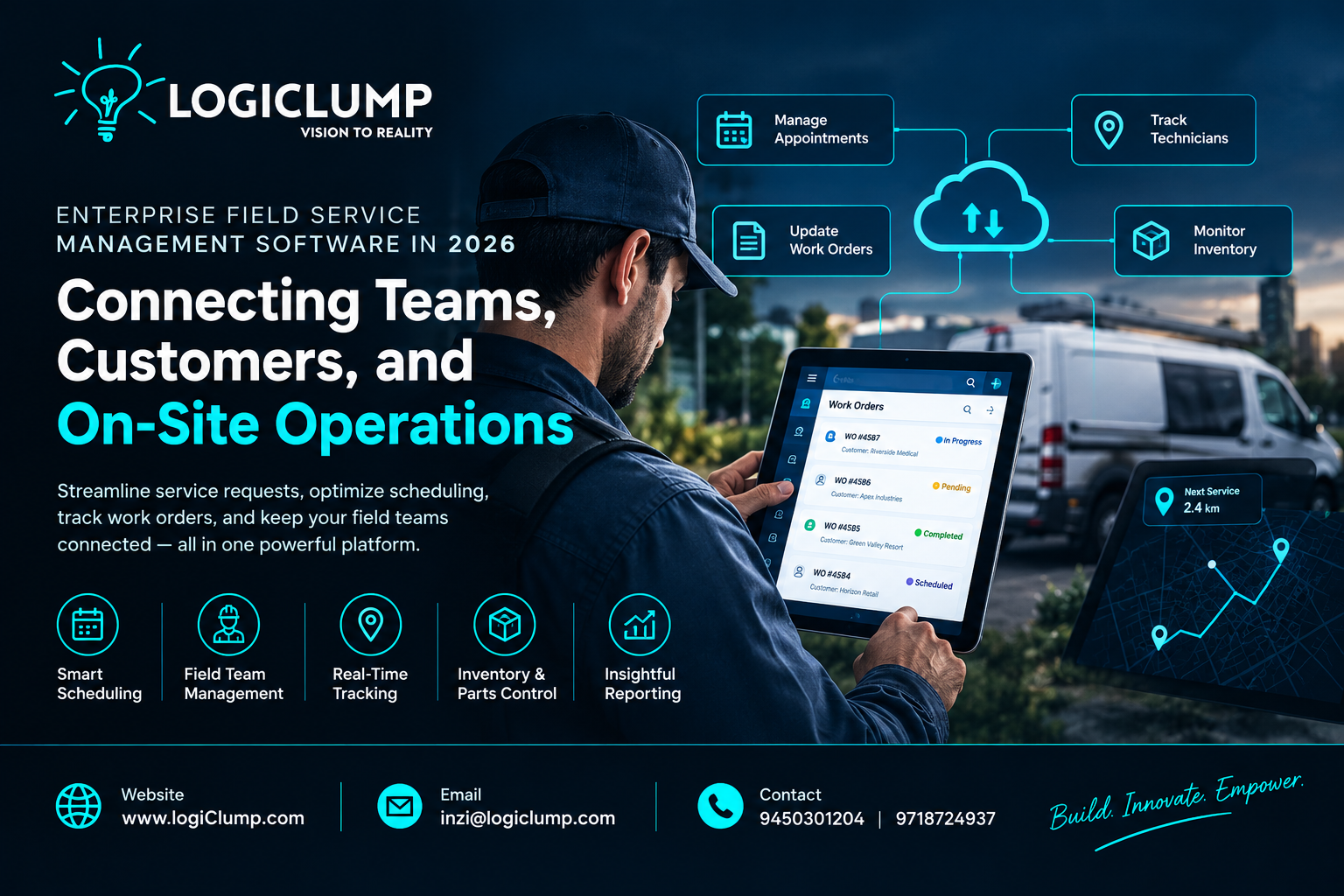
Enterprise Field Service Management Software in 2026
When a customer requests a repair, a technician needs to visit a location, or a business must maintain equipment across multiple sites, several activities need to happen together.
Appointments must be scheduled. Employees must be assigned. Equipment and spare parts must be available. Customers need updates, managers need visibility, and completed work must be recorded accurately.
For many organizations, coordinating these activities across spreadsheets, phone calls, emails, and disconnected applications creates unnecessary delays.
This is where enterprise field service management software becomes valuable.
In 2026, businesses are increasingly looking for integrated software solutions that help them coordinate field teams, manage service requests, improve resource utilization, and maintain visibility across daily operations.
For organizations with growing service networks, the right software can become an important part of their operational infrastructure.
What Is Enterprise Field Service Management Software?
Enterprise field service management (FSM) software helps businesses organize and manage work performed outside their main office or facility.
It connects the people, information, schedules, equipment, and processes required to deliver services at customer locations or across distributed operational sites.
Depending on business requirements, a field service management platform may include:
-
Service request management
-
Appointment scheduling
-
Technician assignment
-
Work order tracking
-
Customer notifications
-
Equipment and asset records
-
Inventory and spare-parts management
-
Mobile access for field employees
-
Service history
-
Billing and reporting
-
Integration with CRM and ERP systems
Rather than maintaining separate records in different tools, businesses can use a connected platform to manage service operations through a more consistent workflow.
Why Businesses Need Better Field Service Software
Field operations can become difficult to manage as a company grows.
A small team might coordinate appointments through phone calls and spreadsheets. But when an organization manages multiple branches, hundreds of service requests, different technician skill sets, and customers across several locations, manual coordination becomes increasingly challenging.
Common operational problems include:
Scheduling Conflicts
Multiple appointments may compete for the same technician or time slot. Without a reliable scheduling process, businesses can experience delays, missed appointments, and unnecessary travel.
Limited Visibility
Managers may struggle to determine which jobs are pending, which technicians are available, and which service requests require urgent attention.
Incomplete Service Records
When technicians record work through disconnected systems or paper forms, important information can be delayed, duplicated, or lost.
Poor Customer Communication
Customers may not know when a technician will arrive, whether a repair has been completed, or when a follow-up visit is required.
Inventory Problems
A technician may arrive at a site without the necessary spare part, creating additional visits and increasing service costs.
Enterprise field service software helps address these challenges by bringing essential operational information into one coordinated environment.
How a Field Service Management Platform Works
A well-designed system connects the complete service journey, from the initial request to final completion.
A typical workflow looks like this:
Service Request → Job Creation → Scheduling → Technician Assignment → On-Site Service → Work Confirmation → Billing and Reporting
Each stage updates the relevant records so that employees and managers can work from consistent information.
For example, when a customer reports a faulty piece of equipment, the system can create a work order, make the job available for scheduling, assign an appropriately qualified technician, and record the result after the visit.
The exact level of automation depends on the business rules and integrations built into the platform.
Essential Features of Enterprise Field Service Software
1. Centralized Service Request Management
Every service request needs a clear record.
A centralized system can capture customer details, location, equipment information, problem descriptions, priority, and service history.
Employees can track the status of each request without repeatedly searching through emails or contacting different departments.
This also makes it easier to identify overdue jobs and recurring customer issues.
2. Technician Scheduling and Dispatch
Scheduling is one of the most important parts of field operations.
A field service platform can help managers assign jobs according to technician availability, location, skills, workload, and service priority.
For organizations with complex schedules, the software may also support route planning and appointment optimization.
The goal is to make better use of available resources while reducing avoidable delays and travel.
3. Mobile Access for Field Employees
Technicians need access to relevant information while working at customer locations.
A mobile application can provide access to:
-
Assigned jobs
-
Customer details
-
Equipment records
-
Service instructions
-
Checklists
-
Work history
-
Photos and attachments
-
Job status updates
-
Customer confirmations
Where connectivity is unreliable, offline functionality may allow selected information to be accessed and recorded locally, with synchronization when a connection becomes available.
This capability must be designed around the organization's actual field conditions.
4. Work Order Management
A work order provides a structured record of the work that needs to be completed.
It can include the requested service, assigned technician, required parts, planned schedule, work performed, time spent, and completion status.
A clear work order process helps managers understand what has been done and what remains outstanding.
It also creates a more reliable foundation for service history, billing, and operational reporting.
5. Equipment and Asset Tracking
Businesses that maintain machinery, appliances, vehicles, or industrial equipment need accurate asset records.
A field service platform can connect service jobs with individual assets and maintain details such as:
-
Equipment identification
-
Installation date
-
Warranty information
-
Maintenance schedule
-
Previous repairs
-
Parts replaced
-
Inspection results
-
Upcoming service requirements
This information helps teams understand the condition and service history of equipment before visiting a site.
6. Inventory and Spare-Parts Coordination
A completed visit depends on more than technician availability. The right materials must also be available.
Connecting field service operations with inventory records can help businesses track spare parts, reserve materials for scheduled jobs, and record items consumed during repairs.
When connected to a broader inventory or ERP system, the platform can also help identify shortages and support replenishment workflows.
7. Customer Notifications and Service History
Customers value clear communication.
A service platform can support appointment confirmations, schedule updates, technician-arrival notifications, completion messages, and follow-up reminders.
It can also maintain a history of customer requests and previous service visits.
This gives customer support employees a clearer picture of the customer's situation and reduces the need to ask for the same information repeatedly.
Which Industries Can Benefit?
Field service management is useful across industries where employees perform work at customer locations or distributed sites.
Equipment Maintenance
Manufacturers and equipment providers can manage inspections, repairs, maintenance visits, and replacement parts.
Telecommunications
Service providers can coordinate installation appointments, network equipment maintenance, and customer fault reports.
Utilities and Infrastructure
Organizations responsible for distributed infrastructure can track work orders, site visits, inspections, and maintenance activities.
HVAC and Facility Services
Service businesses can manage installation, repair, preventive maintenance, recurring appointments, and technician workloads.
Healthcare Equipment Services
Authorized service teams can coordinate equipment maintenance, inspections, and repair histories while following appropriate privacy and operational requirements.
Logistics and Transportation
Companies can organize vehicle maintenance, depot repairs, inspections, and service activities across multiple locations.
The software should be configured around each industry's operational requirements rather than forcing every organization into the same workflow.
Why Enterprise Companies Often Need Custom Field Service Software
Off-the-shelf products can be suitable for organizations with standard processes. However, larger businesses may have operational requirements that do not fit neatly into a single ready-made platform.
For example, an enterprise may need to connect field service operations with its existing CRM, ERP, billing platform, inventory system, customer application, and reporting tools.
It may also require custom approval rules, regional workflows, role-based permissions, specialized reports, or support for multiple business units.
A custom enterprise software solution can be designed around these requirements.
Potential advantages include:
-
Workflows tailored to business operations
-
Integration with existing applications
-
Custom user roles and approval processes
-
Organization-specific reporting
-
Support for multiple locations and teams
-
Greater control over the product roadmap
-
Flexibility to introduce new capabilities over time
Custom development is not automatically the best option for every company. Businesses should compare the total cost, implementation effort, integration needs, and long-term flexibility of available products before deciding.
Integrating Field Service Software With Existing Systems
Field service software becomes more valuable when it works with the rest of the business.
Consider a company that already uses separate systems for customer management, inventory, finance, and employee administration.
A connected architecture might link:
CRM → Field Service Platform → Inventory System → Billing Software → Business Reports
This allows relevant information to move between departments without requiring employees to repeatedly enter the same details.
For example, customer information can be used when creating a service request, parts consumption can update inventory records, and completed jobs can provide the information needed for billing.
Integrations should include appropriate data validation, access controls, error handling, and monitoring to ensure that information remains consistent.
Measuring the Business Impact
Implementing field service software should produce measurable operational improvements.
Before deployment, businesses should establish baseline measurements and compare them with results after implementation.
Useful performance indicators include:
First-time fix rate: The percentage of service jobs completed successfully during the initial visit.
Mean time to repair: The average time required to restore equipment or complete a repair.
Appointment adherence: The proportion of visits completed within the agreed service window.
Technician utilization: How effectively available technician time is used for productive work.
Work order completion time: The time taken to move a service request from creation to completion.
Repeat-visit rate: How frequently a job requires another visit because the original issue was not resolved.
Customer satisfaction: Feedback from customers after service delivery.
The value of these metrics is that they help businesses determine whether the new system is improving actual operations rather than simply digitizing existing paperwork.
Security and Access Control for Field Service Platforms
Field service applications may contain customer information, employee records, equipment details, site locations, and commercially sensitive service histories.
Security must therefore be considered from the beginning.
A robust platform should support appropriate controls such as:
-
Role-based access
-
Secure authentication
-
Protection of data in transit and at rest
-
Restricted access to customer information
-
Controlled administrative privileges
-
Audit trails for important actions
-
Secure mobile sessions
-
Backup and recovery procedures
For organizations operating across multiple regions or business units, access rules should reflect the responsibilities of each team.
Employees should be able to access the information needed for their jobs without receiving unnecessary access to sensitive records.
Common Implementation Mistakes
Even a well-designed software platform can fail to deliver its expected benefits if the implementation is poorly planned.
Digitizing a Broken Process
Automating an inefficient workflow may simply make the same problems happen faster. Review existing processes before translating them into software.
Ignoring Technician Feedback
Field employees use the system under practical conditions. Involve them early and test the mobile experience in real working environments.
Overcomplicating the First Release
Trying to include every possible feature can increase cost and delay adoption. Start with the capabilities that address the most important operational problems.
Overlooking Data Quality
Duplicate customer records, incomplete equipment details, and inconsistent service codes can undermine reporting and scheduling.
Neglecting Integrations
If employees must continue entering the same information in several disconnected applications, much of the intended efficiency can be lost.
Failing to Measure Results
Define success metrics before launch so the organization can assess adoption, reliability, and business impact.
A Practical Roadmap for Implementation
Businesses can approach field service software development in manageable stages.
Step 1: Assess Current Operations
Document how requests arrive, how jobs are assigned, how technicians report progress, and how completed work is billed.
Step 2: Identify the Main Bottlenecks
Determine whether scheduling, inventory, customer communication, reporting, or service records create the greatest problems.
Step 3: Define the Required Features
Prioritize capabilities according to business impact, user needs, and operational risk.
Step 4: Plan System Integrations
Identify which existing applications need to exchange information with the new platform.
Step 5: Design the User Experience
Create interfaces suitable for dispatch teams, managers, administrators, and mobile technicians.
Step 6: Pilot With a Limited Team
Test the platform in a representative location or business unit before expanding deployment.
Step 7: Train Employees and Monitor Adoption
Provide practical training and collect feedback to identify issues early.
Step 8: Improve Gradually
Use operational data and employee feedback to refine workflows and introduce additional capabilities.
The Future of Field Service Management
Field service platforms are likely to become more connected, data-driven, and responsive to changing operational conditions.
Depending on business needs, future enhancements may include predictive maintenance, intelligent scheduling recommendations, automated service summaries, equipment-failure alerts, and demand forecasting.
These capabilities can help organizations anticipate problems rather than relying entirely on reactive service requests.
However, advanced features should be introduced only when the underlying data, workflows, and operational controls are reliable.
A strong foundation in service records, scheduling, inventory, integrations, and reporting remains essential.
How LogiClump Can Help
Enterprise field service management requires more than a mobile application or a scheduling dashboard. It often involves coordinating multiple users, operational workflows, business systems, data sources, and approval processes.
LogiClump Technologies helps businesses build custom enterprise software solutions designed around their operational requirements.
Our services can support projects involving:
-
Custom enterprise applications
-
Web and mobile app development
-
Business workflow automation
-
API development and system integration
-
Customer and service management platforms
-
Inventory and operational dashboards
-
Secure backend systems
-
Scalable software architecture
Whether a company needs a new field service platform or wants to connect existing systems, the solution should be designed around its service model, users, and long-term business goals.
Conclusion
Enterprise field service management software helps businesses bring structure and visibility to operations that depend on people, equipment, appointments, and work performed across multiple locations.
By connecting service requests, technician scheduling, work orders, inventory, customer communication, and reporting, organizations can reduce operational friction and make better use of their resources.
The right solution is not necessarily the platform with the longest feature list. It is the one that fits the company's workflows, integrates with its existing systems, supports its employees, and delivers measurable improvements.
For businesses with complex service operations, a well-planned enterprise software solution can become a foundation for more consistent service delivery and sustainable growth.
Build Better Business Software With LogiClump
Looking to develop custom enterprise software, field service applications, workflow automation, or connected business systems?
LogiClump Technologies can help turn your operational requirements into practical, scalable digital solutions.
🌐 Website: www.logiclump.com
📧 Email: inzi@logiclump.com
📞 Contact: 9450301204 | 9718724937
Build. Innovate. Empower.
Discover how enterprise field service management software helps businesses coordinate technicians, work orders, inventory, customer service, and operations.
Tom Cruise