
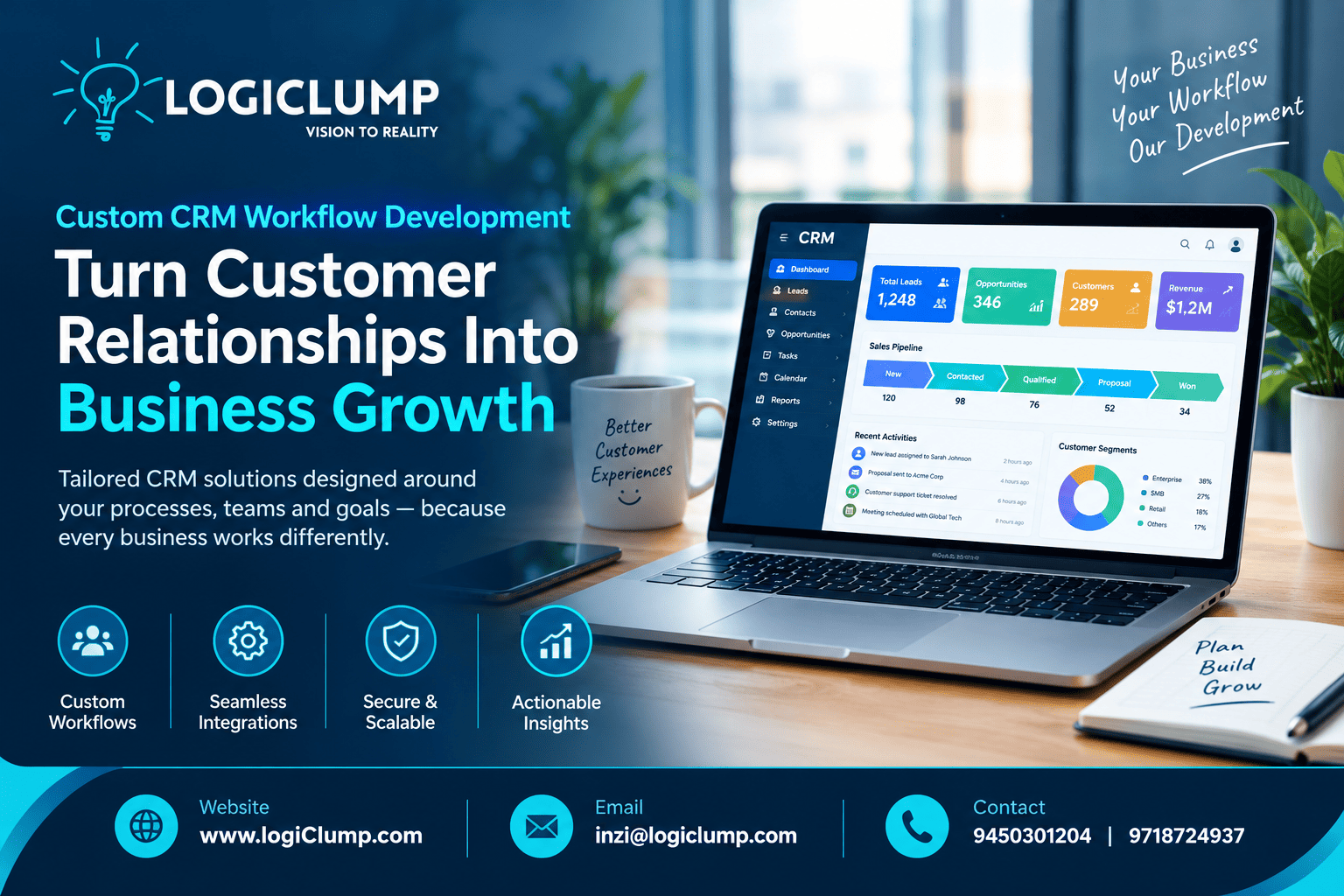
Custom CRM. Smarter Workflows.
A business can invest in a powerful CRM platform and still struggle to manage its customers effectively. The problem is often not the software itself, but the way customer-related work moves between people, departments, and applications.
A new enquiry may wait for assignment. A sales proposal may remain pending because an approval is missing. A newly signed customer may experience delays while information moves from sales to operations. Meanwhile, managers may have difficulty identifying where work is getting stuck.
These challenges become more noticeable as organizations expand and customer interactions increase.
Custom CRM workflow development helps businesses organize these activities around their specific operating requirements. By connecting tasks, responsibilities, approvals, and customer information, a tailored CRM can make daily operations more consistent and easier to manage.
For businesses seeking a CRM development partner, the priority should be to create a system that solves operational problems—not simply one with an impressive feature list.
What Does Custom CRM Workflow Development Involve?
CRM workflow development focuses on how customer-related activities are organized and completed inside a CRM system.
A workflow defines what happens when a business event occurs, who needs to respond, what information is required, and which conditions must be met before the process moves forward.
For example, when a sales representative marks an opportunity as ready for a proposal, the CRM might create a task to prepare the document. If the proposed terms require management approval, the system can route the request to an authorized manager before the proposal is finalized.
Once the deal is confirmed, the workflow may notify the operations team and create tasks for customer onboarding.
Depending on the organization's needs, these processes can be handled through configuration, integrations, custom development, or a combination of approaches.
The objective is to make business processes easier to follow while keeping responsibilities and decisions visible.
Why Businesses Need CRM Workflows Designed Around Their Operations
Every organization has its own customer journey. A company selling complex services may require several rounds of discussion and approval, while a business with repeat customers may prioritize renewals and account servicing.
A generic workflow may not accommodate these differences efficiently.
Delays Between Departments
Customer-related work frequently moves between sales, finance, operations, and support.
When each team uses a different process, information can arrive late or without the context needed to continue the task.
A connected CRM workflow can make handoffs more structured by recording the information required by the receiving team and assigning responsibility for the next step.
Unclear Task Ownership
A task can easily be overlooked when several employees assume someone else is responsible.
Workflow rules can assign ownership, identify pending activities, and make overdue work easier to spot.
Repetitive Administrative Tasks
Employees may repeatedly update records, prepare routine summaries, send reminders, or transfer customer information between systems.
Where the process is predictable, CRM automation can reduce this manual effort.
Inconsistent Customer Handling
Without defined processes, two employees may handle similar enquiries in different ways.
A customized workflow can establish common steps while allowing employees to exercise judgment when customer circumstances require a different response.
Limited Management Visibility
Managers need to know whether work is progressing and where delays occur.
When workflow stages are recorded consistently, the CRM can provide more useful information about pending approvals, stalled opportunities, onboarding progress, and unresolved customer issues.
Five Business Processes That Can Benefit From CRM Customization
1. Managing New Enquiries
A business may receive enquiries through its website, telephone, advertising campaigns, or business partners.
Without a clear assignment process, some enquiries may reach the wrong team or remain unanswered.
A tailored CRM can organize incoming enquiries, capture relevant details, assign an employee, and create a follow-up activity.
For example, a company serving several industries could route enquiries according to the customer's business category and the expertise required.
The workflow should also provide a clear way to handle incomplete enquiries, duplicate submissions, and requests that do not match the company's services.
2. Managing Commercial Proposals
Preparing a proposal may involve sales representatives, technical staff, finance teams, and managers.
A CRM workflow can coordinate the required activities and record the status of each proposal.
If a proposal needs special pricing approval, the system can direct it to the authorized decision-maker. If revisions are requested, the responsible employee can be notified and the updated version tracked.
This provides a clearer process for managing commercial decisions without requiring employees to chase every approval manually.
3. Coordinating Customer Onboarding
The transition from a completed sale to actual service delivery is an important stage in the customer relationship.
Depending on the business, onboarding may involve collecting documents, confirming requirements, creating accounts, scheduling meetings, or assigning an implementation team.
A CRM can generate a structured set of activities when a deal reaches the appropriate stage.
Each activity can have an owner, a deadline, and a completion status. Managers can then identify incomplete steps before they affect the customer experience.
4. Managing Renewals and Existing Accounts
Businesses that provide ongoing services need to maintain relationships long after the first transaction.
A CRM can organize renewal dates, account reviews, follow-up discussions, and other relationship-management activities.
For example, a service company may create a reminder before a customer's agreement expires, allowing the account manager to review the relationship and discuss the customer's future requirements.
The workflow can record the outcome and any agreed next steps.
5. Escalating Customer Issues
Not every customer request can be resolved through the normal support process.
Some issues require a specialist, a manager, or coordination across departments.
A customized workflow can categorize requests, assign an appropriate owner, and trigger escalation when defined conditions are met.
For instance, an unresolved issue affecting an important business service could be referred to a senior employee after the established response period.
The escalation rules should reflect the urgency and potential impact of the issue.
CRM Workflow Development and Business Application Integration
A CRM often depends on information stored in other enterprise systems. When these applications remain disconnected, employees may need to enter the same information more than once or contact another department to obtain an update.
A connected workflow can help coordinate customer-related activities across the organization.
Consider a company that sells and delivers customized products. Its process may involve:
Customer Enquiry → CRM → Order Processing → Finance → Delivery → Customer Support
After a deal is confirmed, relevant details can be passed to the order-management system. Finance can handle billing in its designated application, while the delivery team receives the information needed to fulfill the order.
The CRM can retain appropriate status information so customer-facing employees can provide informed updates.
Successful integration requires clear decisions about which application owns each record, how updates are synchronized, and what happens when an integration fails.
Security permissions must also be maintained across connected systems.
Custom CRM or Existing CRM Configuration: Which Is Right?
Not every workflow problem requires a completely new CRM.
An existing platform may already support the necessary process through its configuration options or available integrations. Custom development becomes more attractive when the business has requirements that cannot be met efficiently through standard capabilities.
| Business Situation | Potential Approach |
|---|---|
| Simple changes to stages and fields | Configure the existing CRM |
| Standard reminders and task assignments | Use built-in workflow features |
| Information must move between applications | Add suitable integrations |
| Unique approval and handoff requirements | Evaluate customization or custom development |
| Specialized customer-management processes | Consider a tailored CRM solution |
| Significant limitations in the current platform | Compare replacement and custom development options |
The decision should consider implementation effort, licensing, integration costs, maintenance, security, and future flexibility.
A custom CRM offers greater control over the design, but it also requires a plan for ongoing support and improvements. The right choice is the one that delivers the required business outcomes sustainably.
Designing Workflows That Employees Will Use
A CRM workflow is only effective if it fits the daily work of the people expected to use it.
Understand the Existing Process
Document how work is currently performed, including handoffs, approvals, repeated tasks, and common exceptions.
Talk to the employees who handle these activities rather than relying exclusively on management assumptions.
Remove Unnecessary Steps
Before automating a process, determine whether every step is genuinely required.
Digitizing an inefficient process can preserve the same problems inside a new system.
Make Responsibilities Clear
Every important task should have a defined owner or responsible team.
The system should make it clear who must act next and what is needed to complete the activity.
Keep Information Requirements Practical
Collect information that supports customer management, business decisions, or necessary controls.
Excessive data-entry requirements can slow employees down and encourage incomplete records.
Include Exceptions
Real business processes rarely follow one perfect path. A proposal may be rejected, a customer may change requirements, or a task may need to be reassigned.
A well-designed workflow should provide clear ways to handle these situations.
Involve Users in Testing
Test the workflow with realistic examples before rolling it out across the organization.
Feedback from sales, support, and operations teams can reveal missing steps and confusing interactions early.
Security Considerations for Customized CRM Workflows
CRM systems often contain customer contact details, commercial discussions, account history, and other confidential information.
Workflow customization should therefore include security requirements from the beginning.
Important considerations include:
-
Access permissions: Restrict records and actions according to employee responsibilities.
-
Authentication: Protect accounts and administrative functions.
-
Approval controls: Require authorization for sensitive changes where appropriate.
-
Audit records: Track important updates and decisions.
-
Data protection: Protect confidential information during storage and transmission.
-
Integration security: Ensure connected applications exchange information through appropriately secured channels.
-
Recovery planning: Maintain procedures for restoring important information following data loss or system failure.
For example, employees who can create customer records should not automatically have permission to change sensitive financial details or approve their own restricted transactions.
The precise controls should reflect the organization's risks and obligations.
How to Measure CRM Workflow Performance
Businesses should define success before introducing a customized workflow.
The most useful measurements depend on the process being improved.
| Performance Indicator | Business Value |
|---|---|
| Time to assign a lead | Shows how quickly new enquiries reach the right person |
| Approval turnaround time | Reveals delays in decision-making |
| Follow-up completion rate | Measures whether assigned activities are completed |
| Customer onboarding time | Shows how efficiently customers move into service |
| Manual data-entry effort | Helps assess administrative workload |
| Overdue tasks | Highlights workflow bottlenecks |
| CRM adoption | Indicates whether employees consistently use the system |
| Customer issue resolution time | Helps assess service responsiveness |
Record the starting position before implementation and compare it with results after the workflow has been introduced.
This makes it easier to distinguish meaningful improvements from assumptions about productivity.
Common CRM Development Mistakes to Avoid
Automating Before Reviewing the Process
Automation should support an effective process, not preserve unnecessary steps.
Adding Too Many Conditions
Complex rules can make workflows difficult to understand, test, and maintain. Begin with the requirements that have a clear business purpose.
Ignoring Data Quality
Automation cannot reliably compensate for incomplete customer records or inconsistent information.
Establish sensible data standards and assign responsibility for maintaining records.
Overlooking Integration Failures
A connected workflow should account for unavailable services, failed updates, and duplicate requests.
Error handling and monitoring are important parts of dependable integration.
Skipping User Training
Employees need to understand how the workflow operates and what is expected of them.
Training and clear documentation help establish consistent usage.
Leaving Workflows Unreviewed
Business requirements change. Review workflow performance periodically and update rules when the evidence shows that improvements are needed.
A Step-by-Step Plan for CRM Workflow Development
Organizations can approach CRM customization in manageable stages.
Step 1: Choose a Specific Problem
Start with a measurable issue, such as slow lead assignment, delayed approvals, or incomplete onboarding.
Step 2: Define the Desired Result
Determine what should improve and how that improvement will be measured.
Step 3: Map the Workflow
Document the stages, decision points, owners, required information, and exceptions.
Step 4: Select the Right Technical Approach
Evaluate whether configuration, integration, customization, or a new CRM is appropriate.
Step 5: Define Security and Data Rules
Establish permissions, approval requirements, audit needs, and data-handling expectations.
Step 6: Build and Validate
Test normal operations, unusual scenarios, access controls, and connections with other systems.
Step 7: Introduce the Change Gradually
Start with a suitable team or process, collect feedback, and address issues before expanding.
Step 8: Monitor Results
Compare performance against the original measurements and refine the workflow where necessary.
How LogiClump Can Help With CRM Development
A CRM should reflect the business's customer journey, internal responsibilities, and operational goals.
LogiClump Technologies is a CRM and enterprise software development company that helps businesses create digital systems aligned with their requirements.
Our services can support:
-
Custom CRM software development
-
CRM workflow design and customization
-
Lead and sales management systems
-
Customer onboarding and service workflows
-
CRM integration with enterprise applications
-
Secure API development
-
Business reporting and dashboards
-
Role-based access management
-
Web and mobile CRM applications
-
Enterprise process automation
Whether you need to improve an existing CRM or develop a customer-management platform from the ground up, the solution should be designed around real operational needs and remain manageable as the business grows.
Our approach focuses on practical functionality, dependable integrations, clear workflows, and long-term maintainability.
Conclusion
Customer-management challenges often arise when business processes are fragmented, responsibilities are unclear, and employees have to coordinate work manually.
CRM workflow development helps organizations connect these activities through structured processes, defined ownership, and appropriate automation.
When supported by accurate data, secure integrations, and practical user experiences, a customized CRM can help reduce administrative friction and give managers better visibility into how customer-related work progresses.
The best CRM solution is not necessarily the most complex one. It is the system that solves the organization's important problems, supports its employees, and adapts as business requirements change.
Develop Your CRM Solution With LogiClump
Looking for custom CRM software, sales workflow automation, customer-management applications, or enterprise system integrations?
LogiClump Technologies can help transform your business requirements into practical and scalable software solutions.
🌐 Website: www.logiclump.com
📧 Email: inzi@logiclump.com
📞 Contact: 9450301204 | 9718724937
Build. Innovate. Empower.
Discover how custom CRM workflow development helps businesses coordinate sales, approvals, onboarding, customer service, and enterprise applications.
Tom Cruise